
🖍️ Coloring Page Generator
All local. Canny and Adaptive sketching.
Drop an image here or click to choose
JPG · PNG · WebP
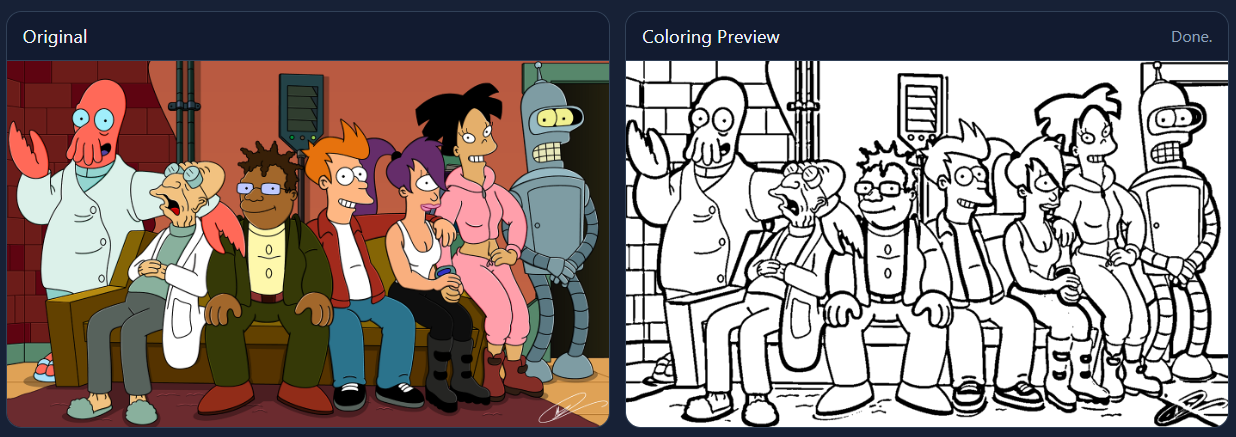
Original
Coloring Preview
Example output

Help & FAQ — Coloring Page Generator
How to use
- Upload an image with clear subjects.
- Choose Canny or Adaptive and adjust the sliders.
- Download a PNG or use Print PDF for an A4 page.
Use cases
- Turn a pet photo into a printable coloring page.
- Create line art from a logo for activities.
Tips & FAQs
- What is the difference between Canny and Adaptive?
- Canny finds crisp ink-like edges for clean outlines. Adaptive builds bold regions that suit cartoons and larger shapes.
- Why does my result look too busy?
- Increase Edge High (Canny) or raise Block Size (Adaptive) to reduce tiny details and make larger, simpler shapes.
- How do I get thicker lines?
- Use Thicken Lines to make strokes print better on paper.
- Why is print blank?
- Process an image first, then use Print PDF to print the generated page.
- Best images for coloring?
- High-contrast images with clear subjects work best; toggle smoothing to simplify details.
- Can kids use it?
- Yes—the tool runs offline once loaded and exports printer-friendly pages.
Formats & limits
- Input: PNG, JPG, WebP
- Output: PNG; Print PDF via your browser
- Very complex scenes may require manual clean-up after export
Privacy
All processing happens in your browser; files never leave your device.
Related tools
Updated
15 October 2025